Find security weaknesses
before they reach production.
Threat Analyser reviews your system architecture, identifies security risks and gives your team clear, prioritised remediation, before vulnerabilities become expensive problems.
Drop your architecture diagram here
Supports: draw.io, PlantUML, PNG, JPG, SVG, PDF
Secure by Design · Threat Modelling · OWASP · CIS · ISO 27001 · SOC 2
Built by Vernovi security architects
who secure regulated cloud environments
From diagram tosecurity report in one deep scan.
Upload Your Diagram
Drop a PNG, JPG, PDF, or draw.io file, or paste a public image URL. No cloud access, no agents, nothing to install.
We Review Your Architecture
Our security model maps every component, connection, and trust boundary against STRIDE, OWASP, CIS benchmarks, and cloud security controls.
Get a Prioritised Assessment
A ranked list of risks by severity, each with a plain-English “why it matters” and step-by-step remediation your team can action now.
Chat & Remediate
Ask follow-up questions about any finding. Get a board-level explanation, or the exact fix for your DevOps engineer.
Your SecurityEssentials
Context-Aware Analysis
The Vernovi engine understands your specific architecture, not just generic best practices. It knows the difference between your dev and prod environments.
OWASP Top 10 Coverage
Every scan is cross-referenced against the OWASP Top 10, CIS benchmarks, and cloud-specific security frameworks.
Multi-Cloud Support
AWS, GCP, Azure, and hybrid architectures. Vernovi understands topology, IAM structures, and network flows across all major clouds.
Full PDF Export
Export a board-ready PDF report with every finding, severity, and fix, ready to share with stakeholders.
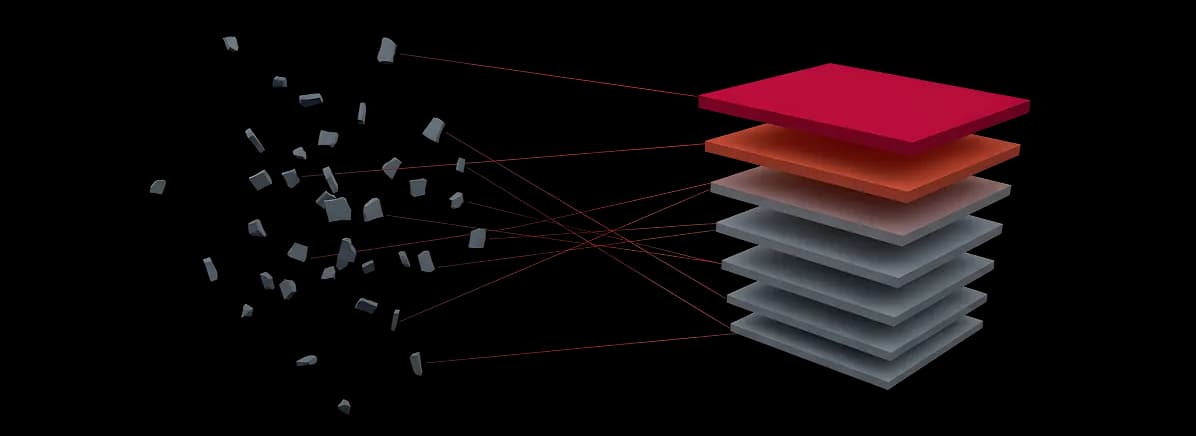
From scattered risks
to a ranked report.
One deep scan gathers every loose risk in your architecture and stacks it into order, with the most severe on top and real remediation steps beneath each one.
You Ask Anything.
The Engine Answers.
Every scan opens a direct line to the Vernovi engine. Ask for plain-English explanations for your CEO, specific fix instructions for your DevOps team, or a prioritised action plan, all grounded in your specific architecture.

Built for teams
that ship technology.
Start-ups & Scale-ups
Build security into the architecture without hiring a full internal security team, and prepare for enterprise customer reviews.
CTOs & Engineering Teams
Catch architectural weaknesses before development, deployment and your next penetration test, and shift security left without a review bottleneck.
Security Architects & MSPs
Run rapid first-pass architecture reviews across your estate or your clients’, and focus human expertise on the complex decisions.
Architecture assurance,
without the bottleneck.
Most security testing happens too late, after the system is built, deployed and live. Threat Analyser catches design-level risk earlier, without another manual review to schedule.
Threat Analyser doesn’t replace experienced security architects. It surfaces the common, material issues earlier, so expert time is spent where it adds the most value.
Frequently AskedQuestions
Everything you want to know before you get started. Still stuck? Reach out and we’ll help.
Threat Analyser is an AI-assisted security architecture review. Upload your architecture diagram and it identifies security weaknesses, cloud misconfigurations, trust-boundary risks and design flaws, then shows your team exactly what to fix, ranked by severity. No cloud credentials, no agents, no lengthy engagement.
Start with a free scan.Scale to your whole stack.
Free
- One full deep scan
- Ranked findings with severity
- STRIDE & OWASP Top 10 coverage
- Plain-English explanations
- No card, no cloud access required
Pro
Most Popular- Unlimited deep scans
- Re-scan on every architecture change
- Full chat with the Vernovi engine
- Board-ready PDF exports
- Shareable results links
- Priority support
Enterprise
- Everything in Pro
- Team seats & roles
- Multi-architecture portfolios
- Private deployment options
- Security review & DPA
- SLA guarantees
Would you ship
this architecture?
Find the security risks before your customers, pentesters or attackers do. Upload your architecture diagram and let one deep scan surface your real risks. Free, with no card and no cloud access.
Be first on Threat Analyser.
Threat Analyser is opening to a first group of teams. Tell us about your stack and we’ll be in touch with early access.
No card, no commitment. We respond within one business day.